Structured Cabling & Fibre

Copper and fibre infrastructure planned, installed and tested for your premises. Neat cabinets, clear labelling and practical documentation make your network easier to manage and expand.

THE FOUNDATION OF YOUR NETWORK

Illustration of organised copper cabling and patch panels in a network cabinet

COPPER & FIBRE CAPABILITIES

A backbone built around your premises.

From workstation connections to fibre links between network cabinets, we plan the physical infrastructure for your devices, layout and future changes.

  • Cat6 & Cat6A cabling

    Structured copper connections for workstations, wireless access points and IP devices, with cable routes and connection points planned around your premises.

    Cat6 · Cat6A · Data outlets

  • Fibre backbone

    Fibre links for cabinets, buildings and longer network runs. Cable type, routing and termination are selected around distance, capacity and the site environment.

    Single-mode · Multi-mode · Termination

  • Patch panels & cabinets

    Organised patch panels, cabinets and cable management make connections accessible and easier to maintain, with practical space for equipment and future additions.

    Patch panels · Cabinets · Cable management

  • Labelling & documentation

    Clear labels and connection records help your team trace outlets and cabinet connections. Handover documentation supports troubleshooting and future changes.

    Outlet labels · Connection records · Handover

  • Testing & certification

    Test installed links against the agreed project requirements and provide the results at handover. Certification scope and reporting are confirmed as part of the project.

    Link testing · Results · Agreed certification

  • Moves, adds & changes

    Extend or adapt existing cabling for new desks, relocated equipment and changing layouts. Updated labels and records keep the infrastructure clear as your business grows.

    New connections · Relocations · Updates

INSTALLATION & DELIVERY

Planned carefully. Installed clearly.

A practical installation starts with the site and finishes with a documented handover. We agree the cable specification, installation requirements and testing scope before work begins.

  1. Discover

    Survey the premises, existing infrastructure and connection needs. Review access, cable routes and how the work fits around your operations.

  2. Design

    Plan outlets, containment, cabinets and copper or fibre links. Agree capacity, installation requirements and the testing and certification scope.

  3. Deploy

    Install and terminate the agreed cabling, manage routes and organise cabinet patching. Coordinate site access and installation activity with your team.

  4. Document

    Test the installed links, record results and label connections. Provide the agreed documentation and a clear handover of the completed work.

  5. Support

    Agree how future faults, moves and additions will be handled. Keep connection records current as the premises and equipment change.

Installation requirements agreed from the start

Route planning, cable support, separation from power, bend radius, site restrictions and any fire-stopping requirements are considered within the project scope. The applicable standards and acceptance criteria are confirmed for your installation.

RACKS & CABINETS

Order inside the cabinet. Clarity across the network.

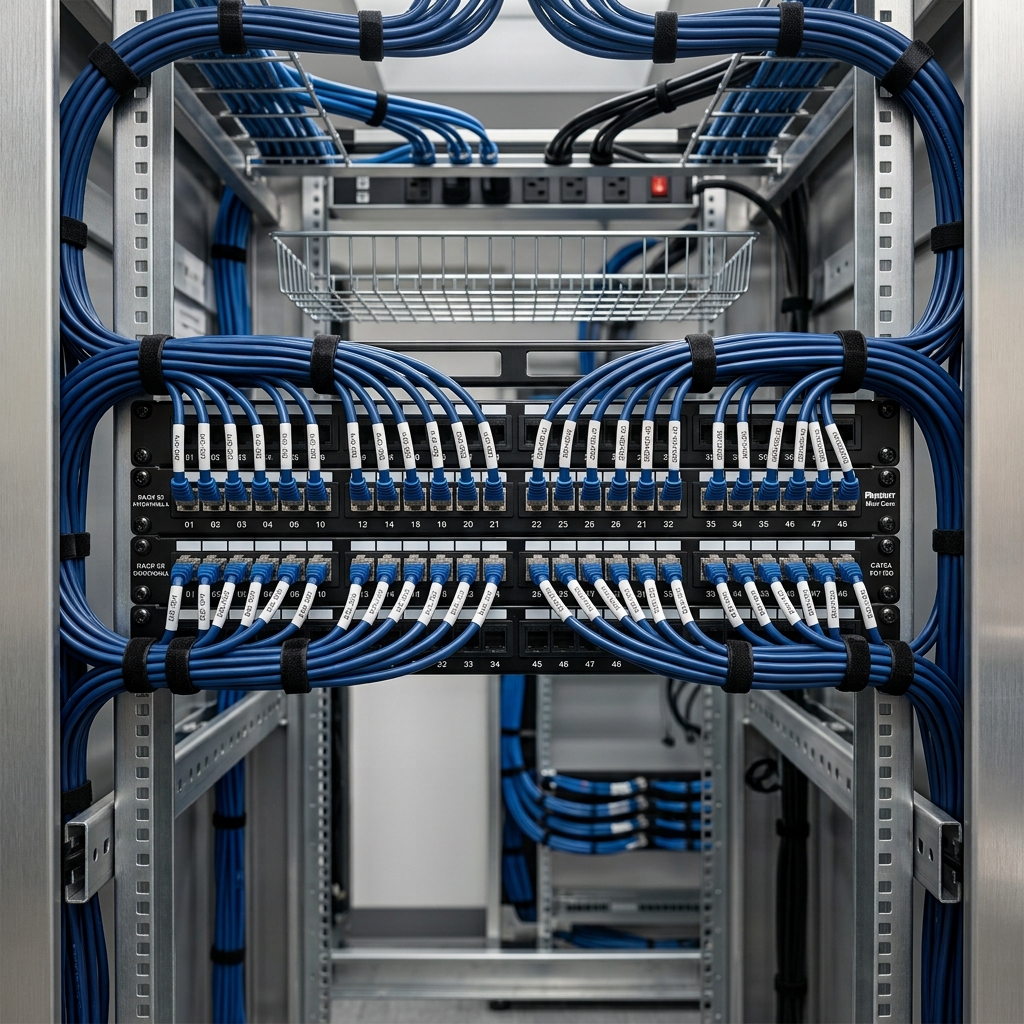
A well-organised cabinet makes connections easier to trace and equipment easier to maintain. We plan patching, cable management and equipment space around the way your network will be used.

  • Clear patching

    Keep patch panels, outlets and connections identifiable, with consistent labels and an organised patching layout.

  • Managed cable routes

    Support and route cables neatly, considering access, bend radius and separation from power within the agreed installation scope.

  • Room for change

    Plan cabinet space and cable management for equipment access, airflow and the additions your business expects.

Illustration of an organised network rack with managed blue cabling and patch panels
Illustrative cabinet layout

TESTING & DOCUMENTATION

Clear results. A practical handover.

Installation is only part of the job. The agreed testing and connection records help you understand what has been installed and make future maintenance easier.

  • 01

    Test the installed links

    Check copper and fibre links against the agreed acceptance criteria. Confirm the testing method, certification scope and required reports before installation.

  • 02

    Record the connections

    Use consistent outlet, cable and patch-panel labels. Provide the agreed connection schedule and cabinet records so your team can trace the infrastructure.

  • 03

    Hand over with clarity

    Review test results and documentation with your team, identify any outstanding items and agree how future changes will be recorded.

Testing, certification and documentation deliverables are confirmed in your project scope.

ENVIRONMENTS SERVED

Infrastructure that fits the site.

Different premises need different cable routes, cabinet locations and installation plans. We shape the scope around your building, connected devices and day-to-day operations.

  • Offices & workspaces

    Connections for desks, meeting rooms, access points and shared equipment, planned around today’s layout and future moves.

  • Hospitality & guest spaces

    Physical connections for guest Wi-Fi, communications and IP systems, with installation activity coordinated around access and operations.

  • Commercial & property sites

    Copper and fibre routes between equipment areas, floors and buildings, taking site conditions and access requirements into account.

  • Multi-site businesses

    Consistent labelling and documentation across locations, with a site-specific installation plan for each premises.

LET’S PLAN YOUR INFRASTRUCTURE

Planning new cabling or a site upgrade?

Tell us about your premises, connection needs and timescale. We’ll help define the copper and fibre installation, testing and handover scope for your project.

Scroll to Top